How members opt in to text messages
Effective July 25, 2026
This page exists for carriers and reviewers. MyClubControl is used by clubs to run their own membership, and members are added by their club’s officers rather than signing up on a public form — so the screen where a member consents to text messages sits inside their own account, behind a sign-in. Below are those exact screens, the wording a member agrees to, and what we record when they do.
Both opt-in paths, and a direct link to each screenshot
There are exactly two places a member can consent, both inside their own account. Each link below opens the screenshot itself, hosted publicly, with no sign-in.
- Account → Membership Settings. The consent block, checkbox unticked by default: /messaging/opt-in-unchecked.png
- A one-time prompt on the dashboard home. Same wording, same unticked checkbox: /messaging/opt-in-prompt.png
Nothing else grants consent. Every screen is shown in full further down, in order.
Who receives these messages
Only people who are already members of a club that uses MyClubControl, and who have ticked the box below inside their own account. There is no public web form, no purchased list, and no way for a stranger to be added. Joining a club, being added to its roster by an officer, or having a phone number on file do not opt anyone in, and no existing member’s consent was ever assumed or backfilled.
The screens, exactly as a member sees them
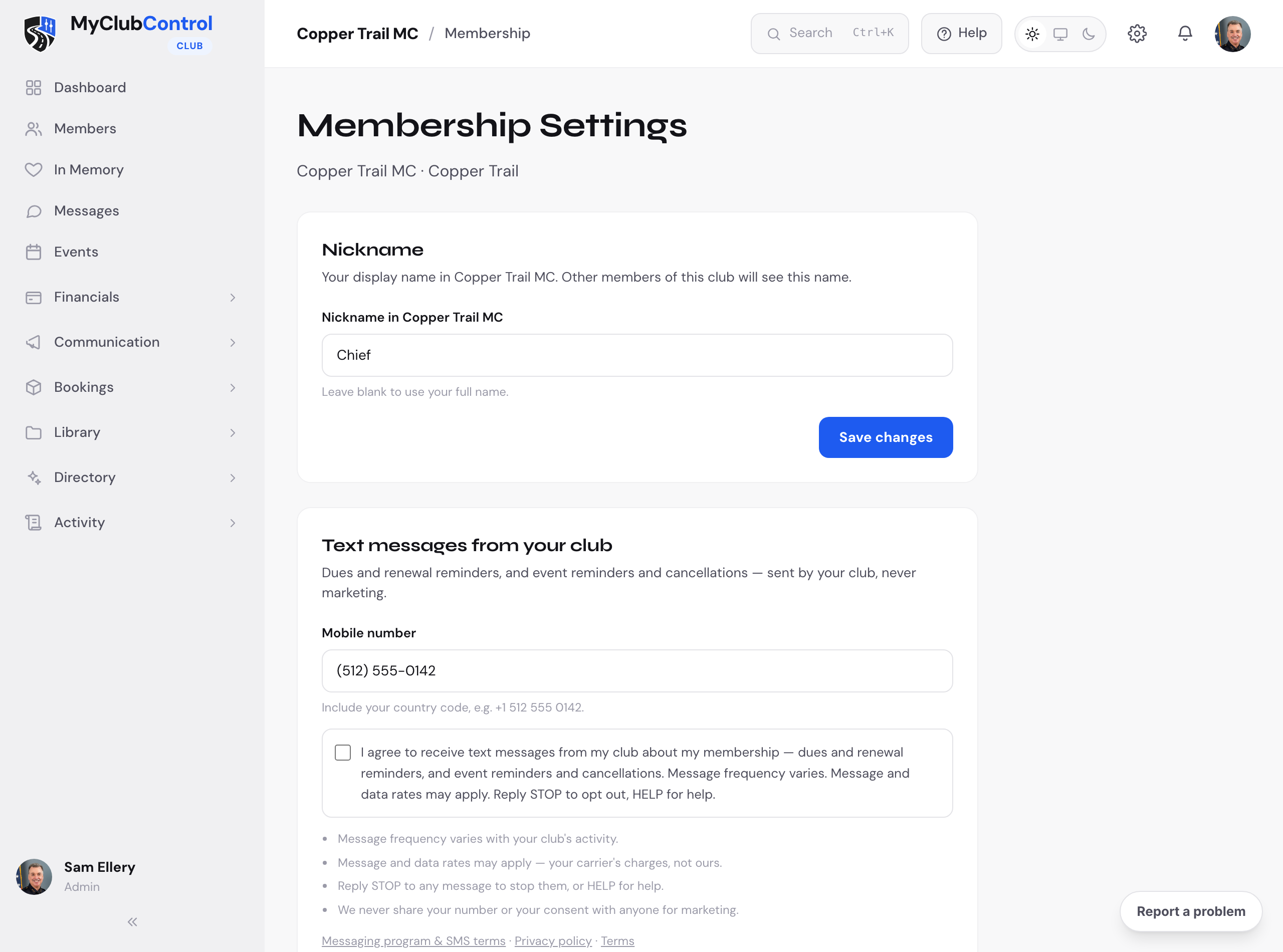
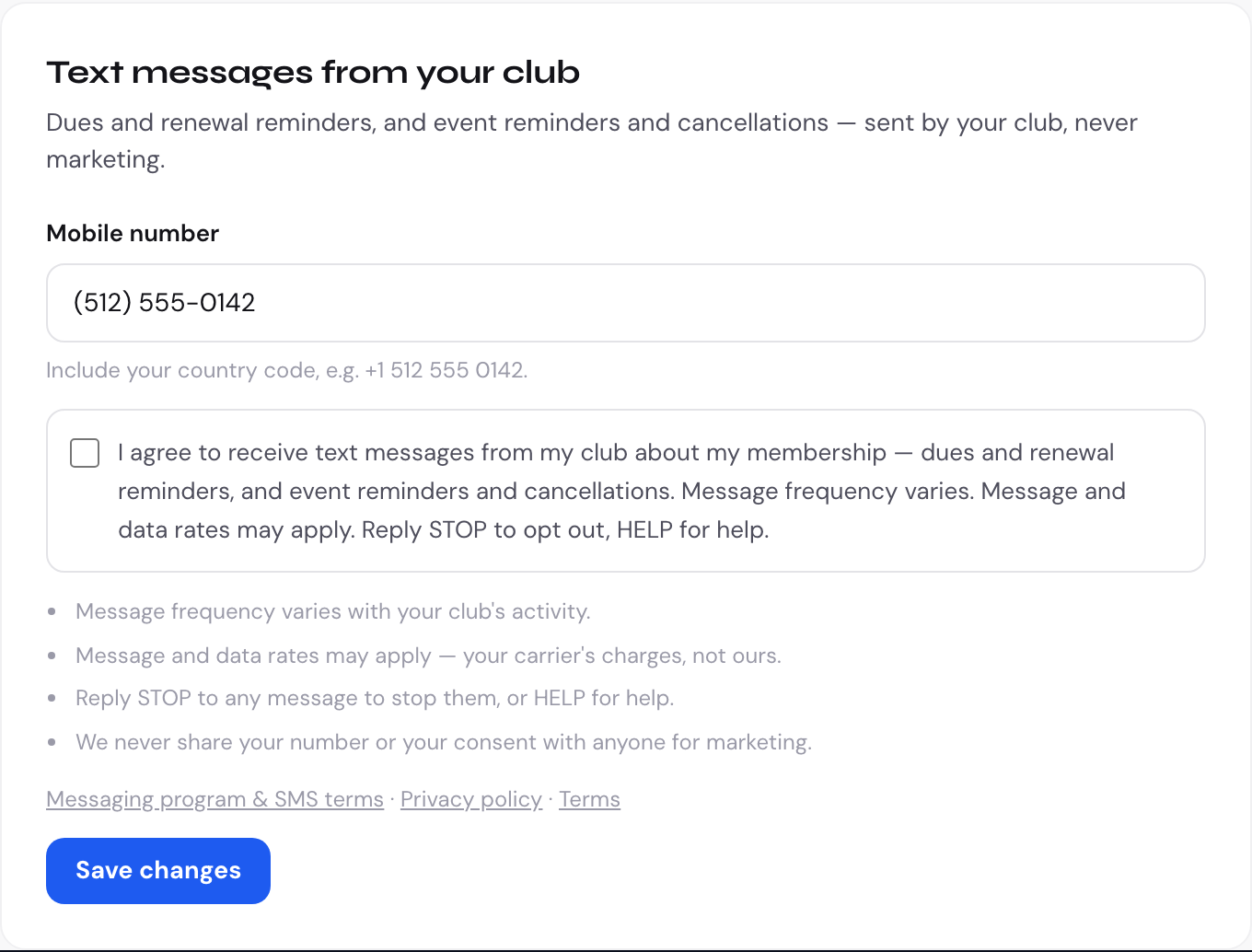
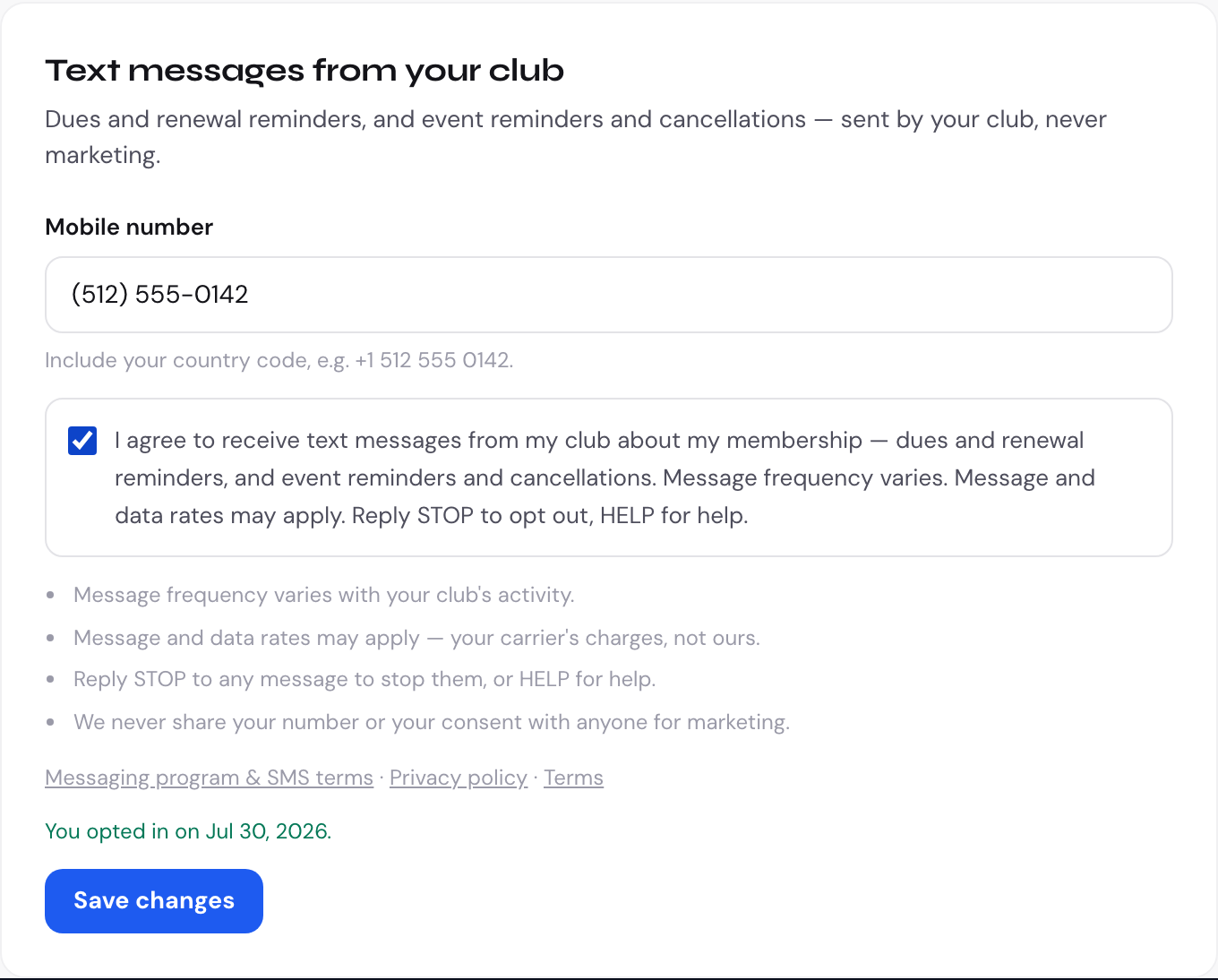
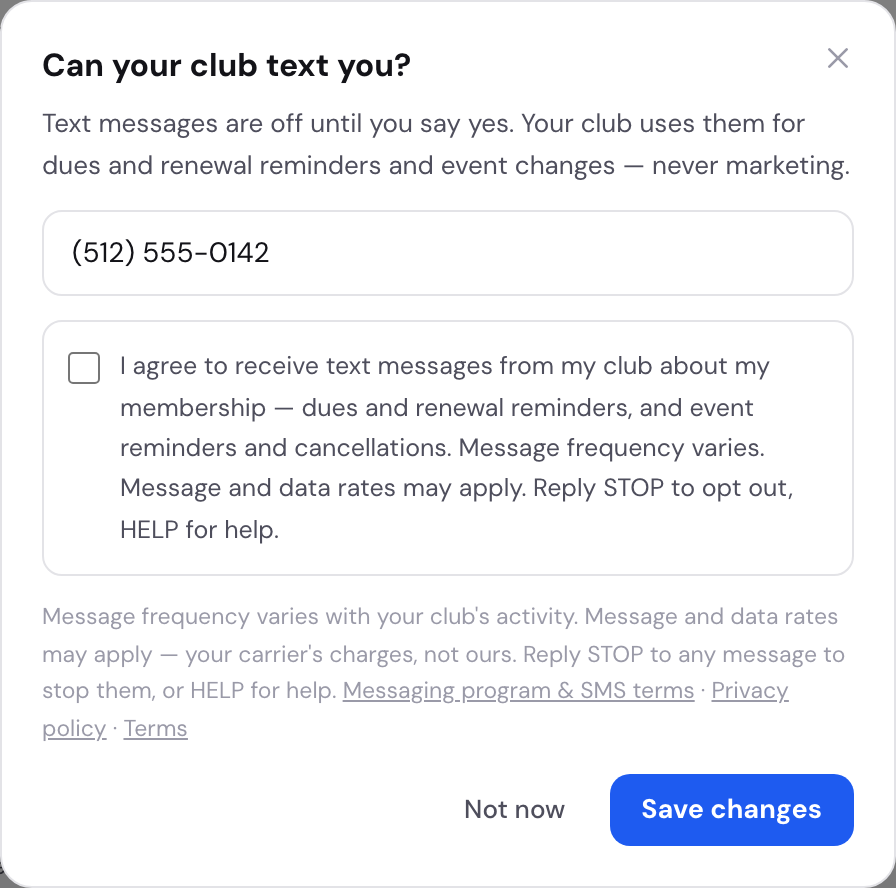
The exact wording next to the checkbox
I agree to receive text messages from my club about my membership — dues and renewal reminders, and event reminders and cancellations. Message frequency varies. Message and data rates may apply. Reply STOP to opt out, HELP for help.
Directly beneath it, on the same screen:
- Message frequency varies with your club's activity.
- Message and data rates may apply — your carrier's charges, not ours.
- Reply STOP to any message to stop them, or HELP for help.
- We never share your number or your consent with anyone for marketing.
And links to the messaging program terms, the privacy policy and the terms of service.
What is recorded
Each consent is stored against the member with the date and time it was given and which of the two screens above it came from, so any individual message can be traced back to the consent that permitted it. Withdrawing consent — by unticking the same box, or by replying STOP to any message — clears it.
What is sent
Dues and renewal reminders, and event reminders and cancellations: administrative messages from a member’s own club about their own membership. No marketing, no promotions, no third-party content. Full details, sample messages and the STOP/HELP behaviour are on the Messaging Program & SMS Terms page.
One path we removed
This product used to be able to text a signup link to a phone number typed in by a club officer, to somebody who did not yet have an account. That is third-party consent, and it has been removed: somebody with no account cannot consent, so no path in the app tries to message them. Account invitations are sent by email only.
Questions
Write to support@myclubcontrol.com and a person will answer.